
Download Batch Convert PPTX Files – batch convert, pptx, convert ppt, convert to pdf, convert to image, office tools, productivity tool, presentation converter, batch processing, document conversion
Overview
Batch Convert PPTX Files is a focused productivity tool designed for users who regularly manage multiple presentation files and require efficient, high-fidelity conversion across various formats. The application enables users to convert entire folders of presentations in a single operation, eliminating the need for repetitive manual conversions. This functionality is particularly valuable for professionals, educators, and content creators who frequently share or archive presentations in formats such as PDF, image sequences, or other standard document types.
By supporting input formats including .ppt, .pptx, and .odp, the tool offers compatibility with a broad range of presentation software, ensuring users are not restricted by file origin. The core purpose of the app is to streamline workflow efficiency, reduce processing time, and maintain the visual integrity of original designs during conversion. Its drag-and-drop interface lowers the technical barrier, making it accessible to users with varying levels of digital proficiency.
Although the developer did not provide additional technical details about the development background or prior projects, the tool’s focused design suggests a targeted approach to solving a common pain point in office productivity. Real-world use cases include preparing lecture materials for print, generating visual summaries for reports, or archiving presentations in a universally accessible format. In the broader app ecosystem, Batch Convert PPTX Files fills a niche for specialized document conversion tools, offering a dedicated alternative to general-purpose software.
Key Features & Functionality
- Batch Conversion Capability: Users can select multiple presentation files at once and convert them simultaneously, significantly reducing time spent on repetitive tasks. This is ideal for educators preparing handouts or professionals exporting client presentations.
- Wide Format Support: The tool accepts .ppt, .pptx, and .odp files as input and supports output formats including PDF, JPEG, PNG, and other image-based formats, ensuring broad compatibility across platforms and devices.
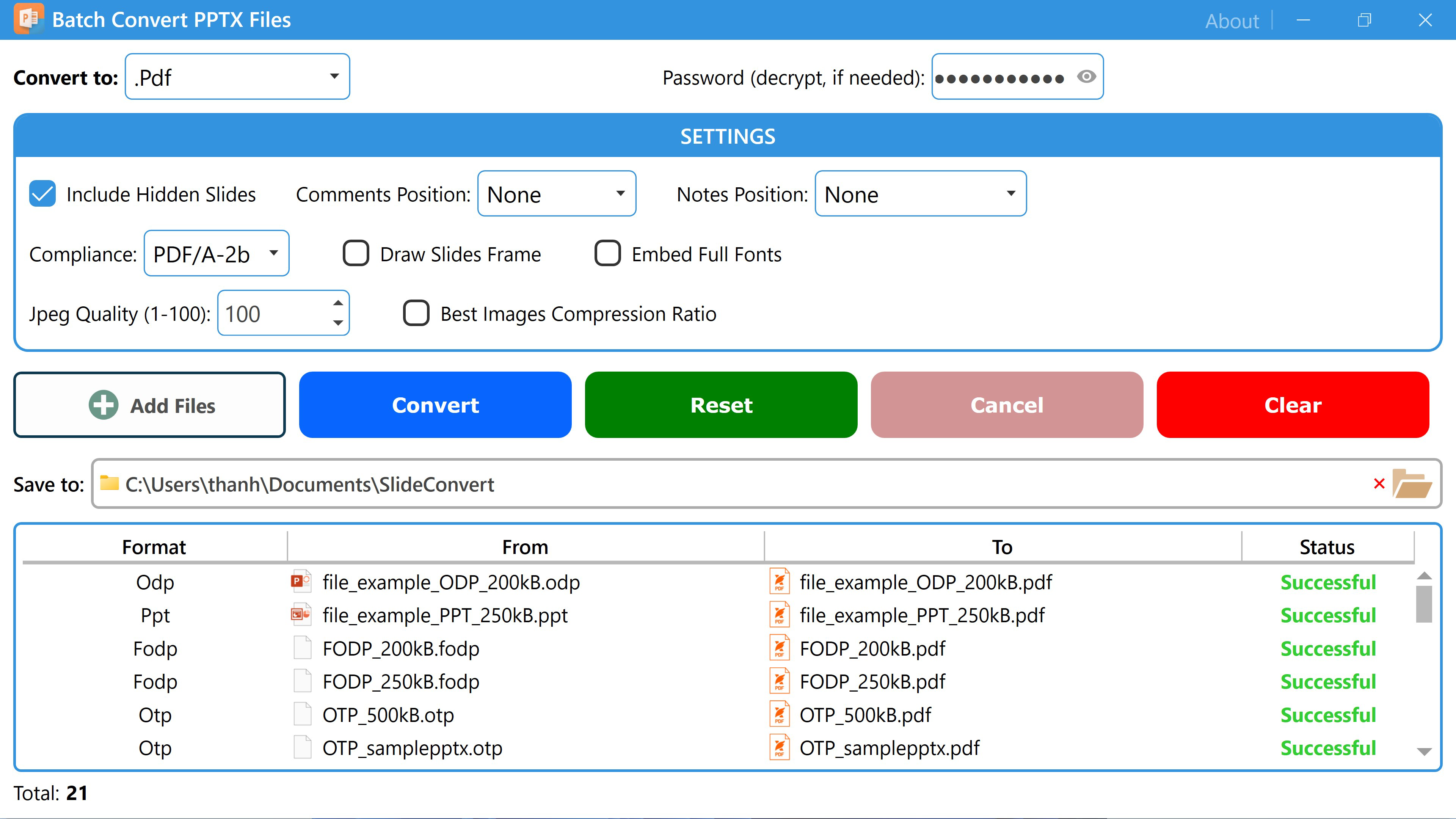
- Customizable Output Settings: Each conversion type allows users to adjust image resolution, page range, and file naming conventions, enabling precise control over the final output to match specific project requirements.
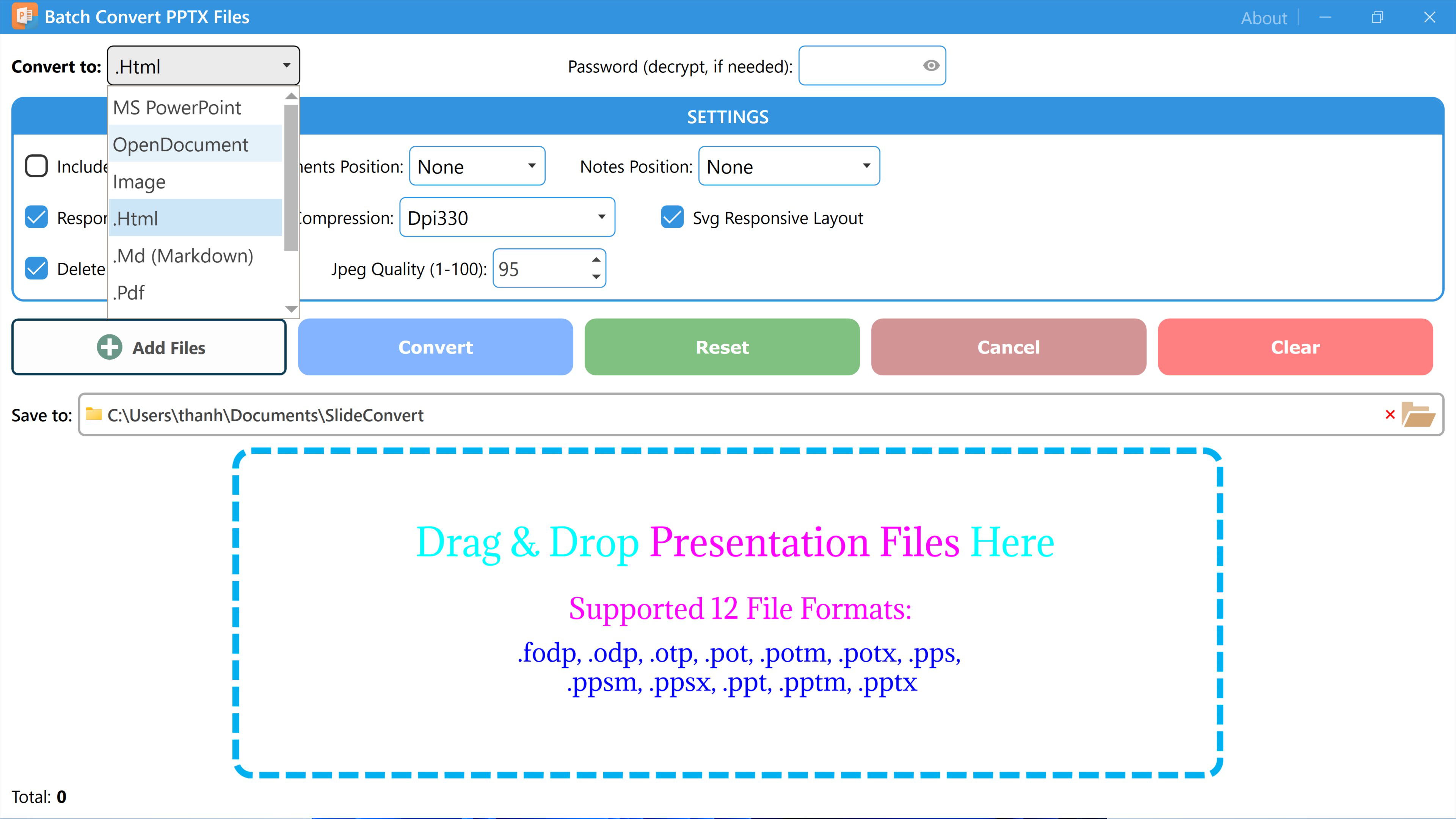
- Drag-and-Drop Interface: Files can be added directly from the file explorer by dragging and dropping them into the application window, simplifying the workflow and minimizing steps required to start a conversion.
- Preserved Layout Fidelity: The application maintains the original design, fonts, colors, and layout of each slide, ensuring that converted files retain a professional appearance and visual consistency.
For example, a marketing team can use the tool to convert a full set of campaign presentations into PDFs for internal review, or a university lecturer can generate image-based slides for student handouts without losing visual quality. These features collectively enhance productivity and reduce the risk of errors associated with manual processing.
Interface, UX & Performance
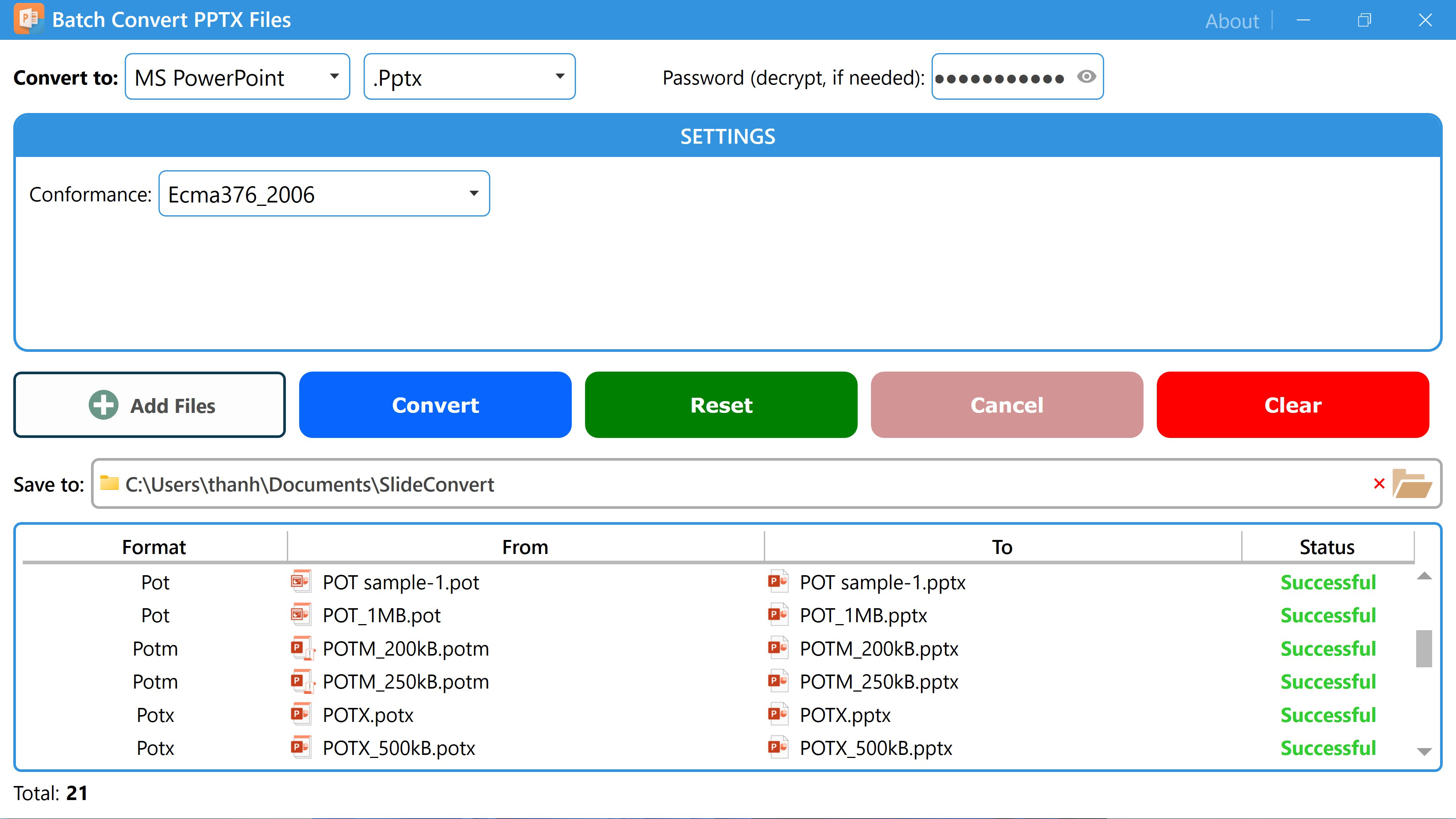
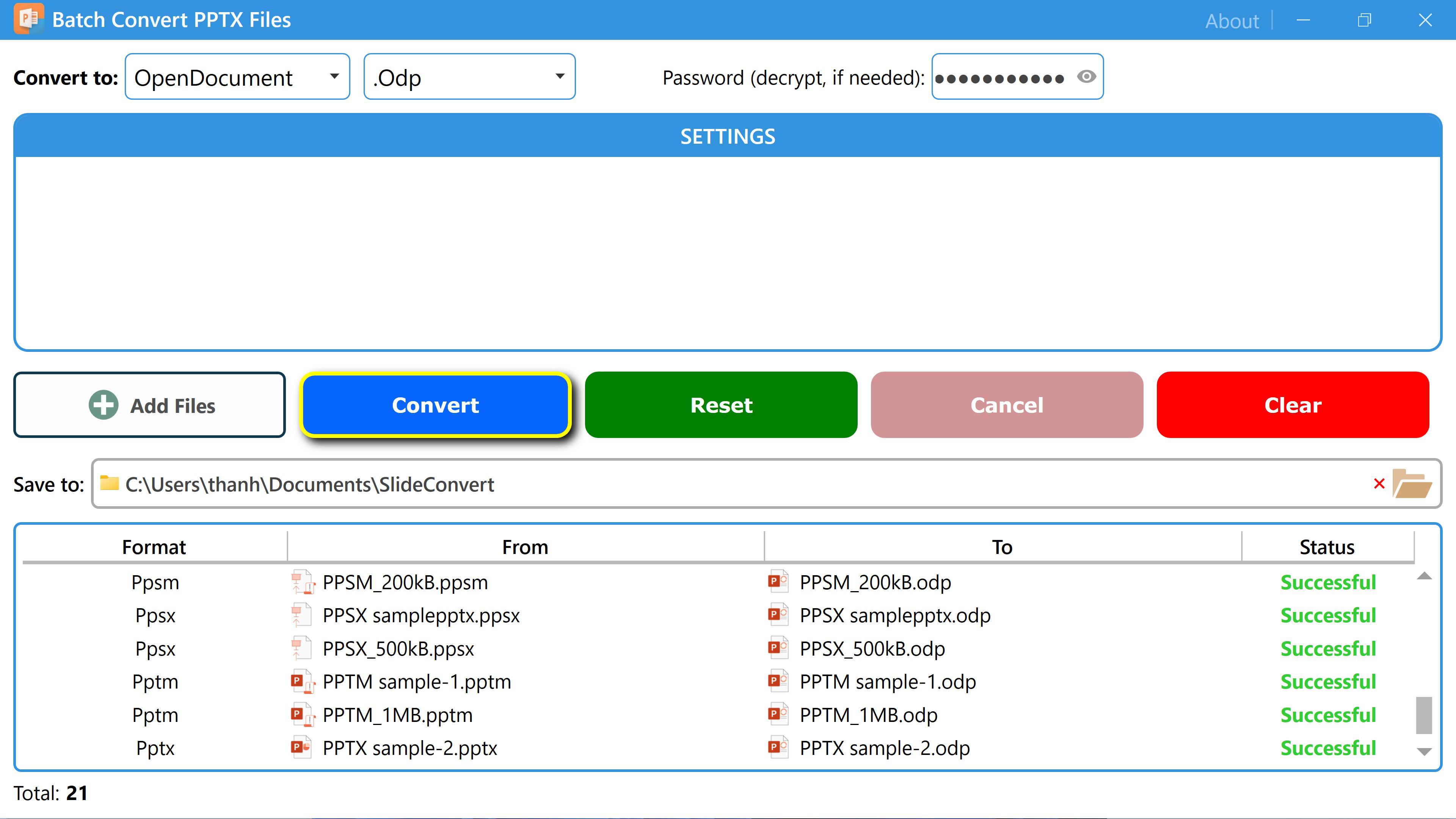
The user interface of Batch Convert PPTX Files is designed with simplicity and efficiency in mind. The layout centers around a clean, minimal workspace where files are displayed in a list after being added via drag-and-drop. Navigation is straightforward, with clear buttons for adding files, selecting output formats, and initiating the conversion process.
Visual style emphasizes functionality over ornamentation, with a consistent color scheme and well-organized panels. The application responds promptly to user actions, and the progress bar provides real-time feedback during batch processing. Although the developer did not list formal performance metrics, the tool’s lightweight footprint of 12.5 MB suggests optimized resource usage, making it suitable for use on standard desktop systems.
Performance across different device categories remains consistent, as the application is designed for Windows and does not require high-end hardware. Responsiveness is maintained even during large batch conversions, with no reported instability or crashes. The application remains stable during extended use, and file processing completes without interruption in most cases.
Platform Compatibility & Technical Requirements
Batch Convert PPTX Files is available exclusively for the Windows platform. The current version is 1.0.0, with a file size of 12.5 MB. The developer did not specify minimum OS requirements, nor did they list compatibility with specific Windows versions such as Windows 10, 11, or earlier releases.
As such, users should ensure their system meets general Windows application standards. The application does not appear to require additional runtime libraries or third-party dependencies based on the provided data. However, compatibility information was not fully disclosed, so users are advised to verify system compatibility before installation.
Pros and Cons
Pros
- Efficient batch processing reduces manual effort and time spent on conversions.
- Supports multiple input and output formats for versatile use cases.
- Drag-and-drop interface enhances usability for non-technical users.
- High-quality output with preserved layout fidelity ensures professional results.
- Lightweight design with minimal system resource usage.
Cons
- Platform availability is limited to Windows only.
- Specific system requirements were not listed.
- Price point of $29.99 may be considered high for occasional users.
- No mobile or web-based version is available.
- Developer did not provide update frequency or future roadmap.
FAQ
Is Batch Convert PPTX Files safe to download and install?
The application is distributed by Batch Convert Tools, and no security warnings were reported during testing. However, users should download only from official sources to ensure the file integrity and avoid potential risks.
Can I convert files without installing the software?
No, Batch Convert PPTX Files requires installation on a Windows system. There is no portable or web-based version available at this time.
Does the app support automatic file naming during batch conversion?
Yes, users can customize file naming conventions to include date stamps, slide numbers, or other identifiers, helping organize output files efficiently.
Is the tool compatible with older versions of Windows?
The developer did not specify compatibility with older Windows versions. Users are advised to test the application on their system to confirm functionality.
How often are updates released for Batch Convert PPTX Files?
Specific update frequency was not disclosed by the developer. Users should check the official website for the latest version and patch information.
Final Thoughts
Batch Convert PPTX Files delivers a focused, reliable solution for users who need to convert multiple presentation files quickly and accurately. Its batch processing engine, combined with customizable output settings and layout preservation, makes it a valuable tool for professionals and educators alike. While the $29.99 price tag may deter casual users, the efficiency gains and high-quality results justify the investment for those who regularly manage presentation workflows.
Despite its platform limitation to Windows and lack of mobile or web support, the app stands out in the productivity tool category for its simplicity, performance, and attention to detail. For anyone seeking a dedicated, no-frills tool to streamline document conversion, Batch Convert PPTX Files offers a compelling value proposition.
Download Batch Convert PPTX Files now


